Showing posts with label Tutorials and advice. Show all posts

Friday, January 30, 2026

Tutorial - RBR addon for Blender - 03


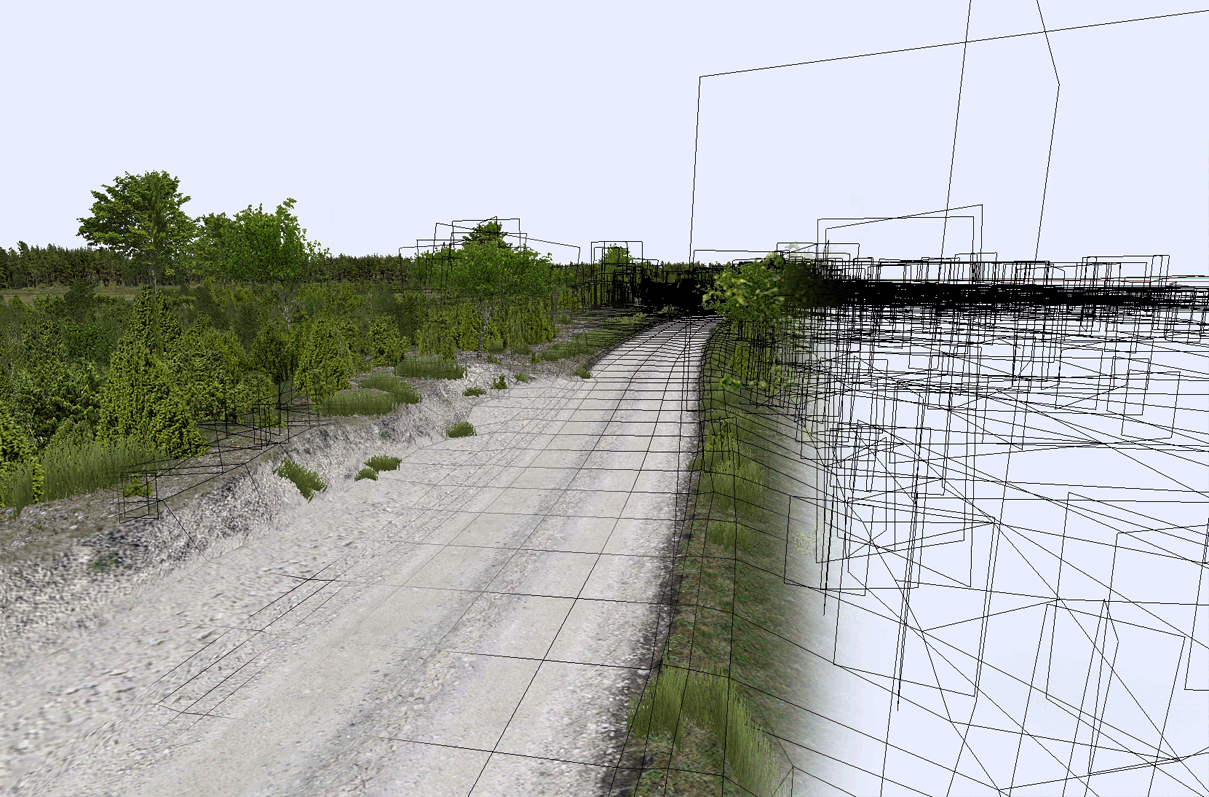
Trees collision how does it work in the RBR addon in Blender. 
Preparing for tree collisions...

In the tutorial, I used my Finland vegetation assets pack, so if you are interested, you can look there: https://rallyguru-tracks.blogspot.com/2026/01/assets-franceitaly-summer-vegetion-pack.html

Tutorial - Geometry Nodes automatic vegetation placement - 02


Tutorial - automatic objects planting method with geometry nodes in Blender. There short and simple tutorial session which you can use as a base in your track modelling process, modified and do more complicated...
In the tutorial I used my Finland vegetation assets pack, so if you are interested you can look there: https://rallyguru-tracks.blogspot.com/2026/01/assets-finland-summer-vegetation-pack-01.html

Tutorial - Ground work on RBR addon for Blender - 01


In this tutorial, I showed a few methods for working with ground texturing. Dedicated to the Richard Burns Rally game files exporting process... 

I used Blender v 3.6 (https://builder.blender.org/download/daily/)

 RBR Track Addon (https://discord.com/channels/RBR Track building) 

TexTools 1.6.1 (https://github.com/franMarz/TexTools-Blender) 

keKit 3.1.4 (https://ke-code.xyz/scripts/kekit.html) 

Finland vegetation assets pack you get there: https://rallyguru-tracks.blogspot.com/2026/01/assets-finland-summer-vegetation-pack-01.html

Friday, December 30, 2016

TUTORIAL: export from Blender to Wallaby (Update 2017.04.24)


Hi, this is last my tutorial, which I promised him self, in his year.
Last part is dedicated how export from Blender to Wallaby RBR game exporter.
This is main tips and settings, what I use in my projects...
Also, I added Wallaby manual files and you can >>>DOWNLOAD<<< it here...

Some Wallaby TIPS:

When you have huge project with massive numbers of objects and Wallaby goes slowing, thi few my tips, to solve this problem:
    • First to first, when you need move you camera in project, you can hide your "General" mesh from view (hide it in vew section).  
    • Second - reduce texture size, usual help in this situation.In my projects, I usually use 4096 or 2048 texture size, of course is to heavy for Wallaby, but after I reduce size by twice, all works going fine..
    • Add cameras, in important points of you track, and can fast jump with cameras editor. Just don't forget wrote, somewhere cameras, ID, for fast find it...
    • When you work with 0.29 b version, can remove "General" mesh at all and put you pace notes or muveable objects much faster. After import all "General" mesh data again...
    • Sometimes, when you work on heavy weight over 200 Mb Collision mesh, huge and long track, Wallaby can't export Collision mesh and call error. Solution: you can remove general mesh and save LBS. Then, reopen project and try export again. If it don't help, also you can remove ground mesh, save, reopen project and try again - will work...
    If you have question, always welcome ;)

    Friday, May 20, 2016

    Tutorial - Racing track modelling tips - Part 3 - Objects

     3D advice.


    First problem what you find is how to get correct object scale. So, here I show few basic objects scale, what you must keep in mind:
    • Typical human height is about 1.70 - 1.80 meters. 
    • One house floor up to 3 meter. 
    • Usually one building floor have about 3 meter. First floor, also usually have 4 m, if you have living house with a lot of flors. 
    • Street lights pole 10-12 m. 
    • Small tree 5-10 m. Big tree for 20 to 30 meters.
    • One road side have 3-4m wide. So, two sides have 6-8m. 
    • Road sign have 3m height. And Information face have 0.70 m wide. 
    • Street lights pole have height from 10 to 12 meters.
    • Light Cars - approximately 3 meter long, 1.5 m height and 2 m wide. 
    Trees, depending from geographic location:
    • Young - 5, 7 meters  
    • Trees 20 years old - 10 -  15 meters  
    • Old big tree, forest - 20 - 30 meters. 

    Tuesday, May 3, 2016

    Tutorial - Racing track modelling tips - Part 2 - Ground mesh, texturing process

    Well, in these video (below), you can find my main tips, how I'm covering with textures on ground mesh.

    There I use:
    Blender - as main 3D software
    Photoshop - as textures prepare software (but you can use any freeware software program as Gimp or Krita)

    Blenders addons:

    UV Square - https://github.com/Radivarig/UvSquares
    UV Tool - http://blenderaddonlist.blogspot.lt/2...
    Pgotoshop plugin:
    DDS plugin https://developer.nvidia.com/nvidia-texture-tools-adobe-photoshop


    Tuesday, April 12, 2016

    Tutorial - Racing track modelling tips - Part 1 - modelling ground mesh (update)

    This my new tutorial sewries is dedicated to show how easy and fast you can make own tracks for gaming. Here you will find main tips which you can use your project.
    I hope, this will interesting, because I will try create new track from scratch and you will see all steps and aspects. There is not final rule, how to do, you must always find fast way, because 3D programs is very flexible and have a lot of ways how do the same thing...
    Also, I recommend read those my old posts, by this theme:

    Friday, June 19, 2015

    Track creation tips 04 - Basic modeling process (update)

    Hi, my news form this week. I made few short video tips. Now its not accurate, so far, but you can see all basics steps for create your rally track in Blender with free 3D tools.

    Lets start, with simple terrain mesh from Sketchup. You can used it free, to. Finally background mesh is in low resolution but not always its is important. So you can used method from my early tutorials, see below (Myra43-tutorial)
    I update my video tutorial - add some comment in video line


    Wednesday, April 29, 2015

    Track creation tips 03 - Methode No1

    This picture can be as a template for our next real track.
    Hi, every one today, I'm happy to show, one of method, which will help create and realize your project with Blender. Actually this not my method, I steal it from Myra43 blog page, he will helpful and I have permission to post this method there... After, I will show my method of some modeling part. May it will video or text, will see.

    As I say before, Invest time to look for good impressive road. It must to be interesting not just for you, but for others people to as RBR community. Otherwise, just lose time and don't have feedback and interest. Job without it is nothing...I try a lot, huge size (epic size :D) tracks, just one time and never back on again. I don't think, that you want make track just to drive once. So, I recommend to find nice real tracks from WRC, may some super special. At this time we have good service from there as WRC+ and you can to see every onboard from every rally event, it's very helpful to take josie and after in workflow.
    Read text below...


    Tuesday, April 28, 2015

    Track creation tips 02 - Tools

    Hello, today I want post next part from my modelling tips. Its short and I talk about creation tools.

    To get your results you need good tools. Best for us, we don't need high cost programs!
    So, first to first, I recommend BLENDER as alternative and powerfull 3D tool. Blender, for us, good, because we don't need any additional X files exporters. Against, he have a lot free plugins, which will speed up our work flow. Also you can use 3Dmax, or Maya, 4DCinema...

    In Blender, I recommend secondary plugins :
    F2 - just activate in Blender,
    UvSquares v1.4 
    Asset Sketcher v.32  - 29.9 Eu

    Now, for texture, editing we need:
    Photoshop (and DDS plugin) or alternatively free software as Gimp, Krita. With this last, also, we need DDS Utilities, for generate our DDS formats.

    As file wiever I recommend - XnView, because he supports a lot file formats, and especially important, show DDS.
    Ganwind Print Screen - making screens shots.

    Tuesday, April 21, 2015

    Track creation tips 01 - theoretical part (update)

    Ok, it's now time, to share my knowledge RBR track creation in Blender. Track creating process is interesting, but have a lot technical details, which need to know, of course if you want have good result.
    I must to apologize for my poor english, I hope you will understand what I mean if not you have comments part ;)

    This tips, I will divided into few sections: One is theoretical tips, it's including best choice of your track, motivation, and how get your result.
    Second is technically tips and tutorials. Modelling tips, texturing, how did right textures and so on...

    This not as absolute best, but this is one of fast way to do that mainly in Blender. Just must to know, modeling is always learning process. So, don't stay in one place, and always looking fast way to get result.

    Monday, February 9, 2015

    RBR - night update!

    Well, last week, I start few new works, need to refresh my mind :) . So one is close to finish. This is night version! I'm return back for this idea. It's comes few years ago, when I work on Karlstad SSS. I found nice night settings setup, not used in this SSS, but now you can found it in new track from others track creators (in Foron, Maton and others tracks). In first version, I have some vertex shadows bug, now its I fix, so no any bugs now. Finally, Night version is adapted for Finland, GB, France, Japan and USA native RBR stages. Just in Australia, so far, I don't found solution, how disable shadows without RBR crash. Its work with it, but looks strange with shadows from sun in night :D. Now, files I send to KORAL Vaclav, next step from him...

    Monday, February 2, 2015

    TUTORIAL - Texture making tips... (update II)

    Hi, today I want share some my experience with texture making process. Actually it's mainly important for "hard" faces models such as buildings, road sign and all others flat 3D models. We have just few ways get own picture for textures. Yes - own photo camera and second important Google street. And one problem which we always get is camera lens distortion. You never get "flat" and right looking picture. So there few things which you need to to with camera and after in photo editing programs...

    Monday, November 18, 2013

    Awesome tiling texture making trick

    Yesterday I found easy and very powerfull trick how make nice tiling (repeated) texture with Photoshop.
    Take photo, which you want used as repeated texture, (in this case I want repeat just in both sides)
    Before, I cut it and its ready for process.
    Next, I change size it to rectangle

    and crop it...
    Second step in Photoshop, go to Filter / Others / Offsets
    After this you just need used Clone Stamp tool and repare midle texture as you want...
    And wuala, you have new tiling texture with nice edges.
    PS. you can also used and horizontal and vertical offset and make grass or others background textures...

    Tuesday, June 12, 2012

    Realistic night weather condition for RBR - UPDATED!

    Realistic night weather condition in RBR. This is only tracksettings.ini 
    I try find some easy way, how to realize night condition with CZ plugin and on similar plugin too, without using additional plugin... Good, that this setup allow change light length and this allow drive for drivers, who used camera from bonner or outside back of car...

    Šiuos nustatymus atradau, kai bandžiau sukurti naktinį apšvietimą Karlstad GR. Man pasirodė tai puikiai galima pritaikyti ir kitiems greičio ruožams, nes, mano manymu, tai labai panašus į realias sąlygas, kokias galima atkurti tik su RBR nustatymais, be jokiu modų ar papildomų pluginų.
    Taip pat gerai tai, kad galima trasų autoriams keisti "lempų šviesos ilgį". Tiktai reikėtų šiuos nustatymus naudoti be sugeneruotų šešėlių, kurie meta juodus, mėlynus lopus ant kelio. Ilgiau paieškojus galima išspręsti iš šia problemą, kita vertus nakčiai šešėliai nėra reikalingi ir taip...