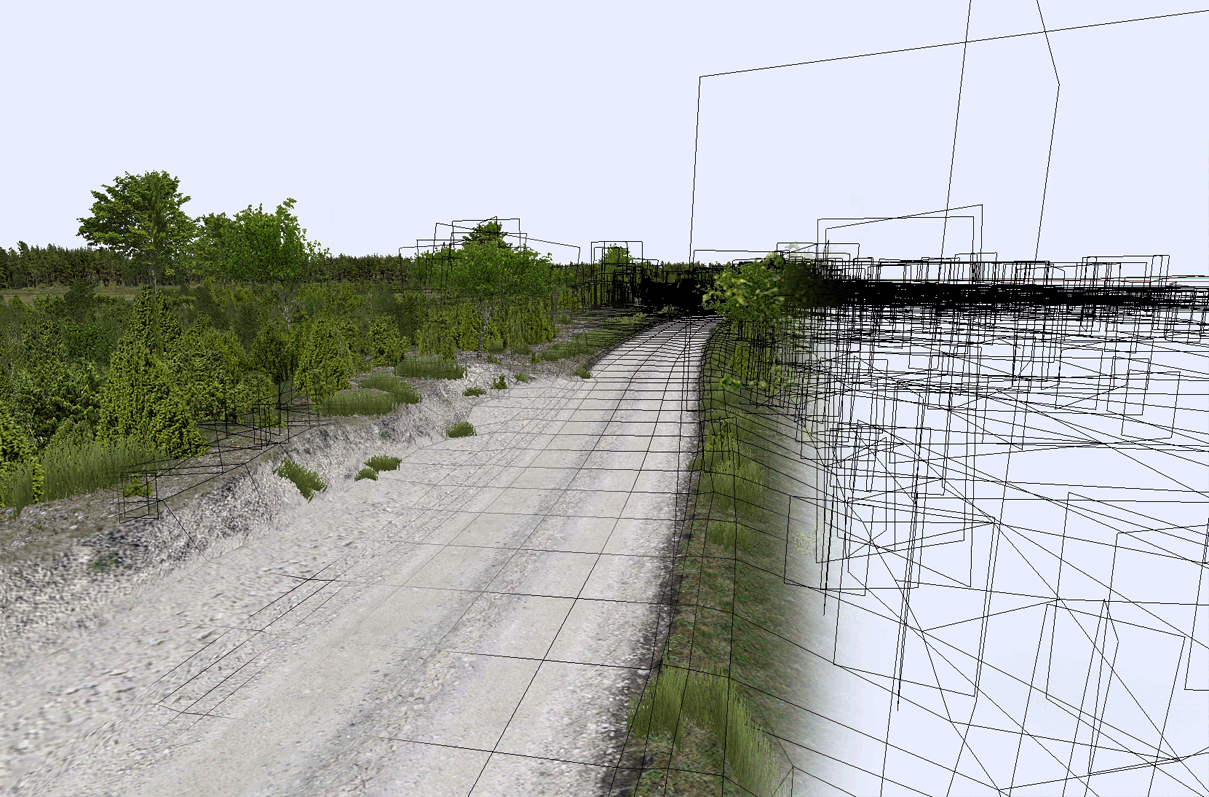
Well, well, well, I little bit late with my message, but at last week I finish with extend zone. I named it zone No2. It one of interesting part in this rally SS. But also, it was difficult place, with stone walls, lots houses in there. So, its take long time, for finish it as well. Now I start process importing in to RBR. Must fix sum mesh bug. But all works good, so far :D
Saturday, May 30, 2015
Undva - No8 - Extended zone No2
Well, well, well, I little bit late with my message, but at last week I finish with extend zone. I named it zone No2. It one of interesting part in this rally SS. But also, it was difficult place, with stone walls, lots houses in there. So, its take long time, for finish it as well. Now I start process importing in to RBR. Must fix sum mesh bug. But all works good, so far :D
Friday, May 15, 2015
Undva - No7 - To be continued
Ok, I'm back, on my 3D works, there. I divided, new part of this project, in two pieces. Now, working on first one. A lot of is done, but still need to my attention. It will take about two weeks, if all going well. This part was difficult, have few houses and I need prepare new textures and models. So, its take more accurate work. And of course, planting vegetation around road. About 70 percent is done.
Friday, May 8, 2015
Undva - No6 - Onboard No2
Hi everyone, how much news in this week! After some break, I return on Undva stage. Happy to say, original BTB version is remapped and converted to native RBR format. As can see in this video, all work well, performance is good. Now next step, last part - about 4-5 km. About 80% is done. Work in texturing phase and need some assets like new houses, and others road side stuff...
Tuesday, May 5, 2015
Junior Wheels No9 - Shadows v0.1
After month waiting I have some normal shadows result. So far, I don't happy, but its working and its good news. Big step forward. Need some vertex shadow tweaks and it will ready for oficial realize..
Wednesday, April 29, 2015
Track creation tips 03 - Methode No1
Hi, every one today, I'm happy to show, one of method, which will help create and realize your project with Blender. Actually this not my method, I steal it from Myra43 blog page, he will helpful and I have permission to post this method there... After, I will show my method of some modeling part. May it will video or text, will see.
As I say before, Invest time to look for good impressive road. It must to be interesting not just for you, but for others people to as RBR community. Otherwise, just lose time and don't have feedback and interest. Job without it is nothing...I try a lot, huge size (epic size :D) tracks, just one time and never back on again. I don't think, that you want make track just to drive once. So, I recommend to find nice real tracks from WRC, may some super special. At this time we have good service from there as WRC+ and you can to see every onboard from every rally event, it's very helpful to take josie and after in workflow.
Read text below...
As I say before, Invest time to look for good impressive road. It must to be interesting not just for you, but for others people to as RBR community. Otherwise, just lose time and don't have feedback and interest. Job without it is nothing...I try a lot, huge size (epic size :D) tracks, just one time and never back on again. I don't think, that you want make track just to drive once. So, I recommend to find nice real tracks from WRC, may some super special. At this time we have good service from there as WRC+ and you can to see every onboard from every rally event, it's very helpful to take josie and after in workflow.
Read text below...
Tuesday, April 28, 2015
Track creation tips 02 - Tools
Hello, today I want post next part from my modelling tips. Its short and I talk about creation tools.
To get your results you need good tools. Best for us, we don't need high cost programs!
So, first to first, I recommend BLENDER as alternative and powerfull 3D tool. Blender, for us, good, because we don't need any additional X files exporters. Against, he have a lot free plugins, which will speed up our work flow. Also you can use 3Dmax, or Maya, 4DCinema...
In Blender, I recommend secondary plugins :
F2 - just activate in Blender,
UvSquares v1.4
Now, for texture, editing we need:
Photoshop (and DDS plugin) or alternatively free software as Gimp, Krita. With this last, also, we need DDS Utilities, for generate our DDS formats.
As file wiever I recommend - XnView, because he supports a lot file formats, and especially important, show DDS.
Ganwind Print Screen - making screens shots.
To get your results you need good tools. Best for us, we don't need high cost programs!
So, first to first, I recommend BLENDER as alternative and powerfull 3D tool. Blender, for us, good, because we don't need any additional X files exporters. Against, he have a lot free plugins, which will speed up our work flow. Also you can use 3Dmax, or Maya, 4DCinema...
In Blender, I recommend secondary plugins :
F2 - just activate in Blender,
UvSquares v1.4
Asset Sketcher v.32 - 29.9 Eu
Now, for texture, editing we need:
Photoshop (and DDS plugin) or alternatively free software as Gimp, Krita. With this last, also, we need DDS Utilities, for generate our DDS formats.
As file wiever I recommend - XnView, because he supports a lot file formats, and especially important, show DDS.
Ganwind Print Screen - making screens shots.
Tuesday, April 21, 2015
Track creation tips 01 - theoretical part (update)
Ok, it's now time, to share my knowledge RBR track creation in Blender. Track creating process is interesting, but have a lot technical details, which need to know, of course if you want have good result.
I must to apologize for my poor english, I hope you will understand what I mean if not you have comments part ;)
This tips, I will divided into few sections: One is theoretical tips, it's including best choice of your track, motivation, and how get your result.
Second is technically tips and tutorials. Modelling tips, texturing, how did right textures and so on...
This not as absolute best, but this is one of fast way to do that mainly in Blender. Just must to know, modeling is always learning process. So, don't stay in one place, and always looking fast way to get result.
I must to apologize for my poor english, I hope you will understand what I mean if not you have comments part ;)
This tips, I will divided into few sections: One is theoretical tips, it's including best choice of your track, motivation, and how get your result.
Second is technically tips and tutorials. Modelling tips, texturing, how did right textures and so on...
This not as absolute best, but this is one of fast way to do that mainly in Blender. Just must to know, modeling is always learning process. So, don't stay in one place, and always looking fast way to get result.
Tuesday, April 14, 2015
Junior Wheels No8 - still work on
Well, well, well. So long I wait first shadows result, but it was not perfect. By the way, I had huge problem there. Online shadows generation, dont want work with my beta version. So, I need agin put all 3d objects in to fresh Wallaby project. Its take, two days work :(. Now I keep cross fingers, about my last version for shadows. It works without cameras and others movable objects and pace notes (all this I Must do again). In first shadows results, I have a lot shrunk errors, but now, I change sun position in to hard angle, and hope it will work like in Haguenau...
Last week, not waste my time and back to work on "Undva SS". Track now is extended twice, terrain is ready for texturing. Waiting monotonic but interesting job...
Subscribe to:
Posts (Atom)